Kaufland API keys come with a seller account
Kaufland has an official Marketplace Seller API, but every request is signed with keys from a Kaufland seller account. There is no anonymous access. The API is built for sellers who manage their own products, stock, orders and returns.
To read public Kaufland product pages without a seller account, a scraper collects prices, EANs, sellers and every competing offer per product (checked on 30 October 2026).
Official Kaufland API
The Marketplace Seller API 2.0 is a REST interface at sellerapi.kaufland.com. The documentation lists product data, inventory, orders, invoices, returns, tickets, reports and push notifications. It also describes an Assortment Insight endpoint with Buy Box prices over 30, 60 and 90 days, a sales rank and an external demand indicator per EAN.
Access works like this:
- Keys come from a seller account. You generate a Client Key (32 characters) and a Secret Key (64 characters) on the API settings page. The Secret Key cannot be retrieved later.
- Every request is signed. Each call carries the client key, a timestamp and an HMAC SHA-256 signature, plus a User-Agent that names your software or says "Inhouse_development".
- Rate limit. 111 requests per seller per second across all endpoints. Above that the API answers HTTP 429.
- Software providers who integrate for several sellers register as a Technology Partner.
- Sandbox. A playground exists for testing without touching live data.
The API suits a seller who syncs stock and orders with an ERP or a repricing tool. A data buyer who wants prices and sellers across a category has no seller account to sign with.
Kaufland product data without an account
Our Kaufland.de Scraper reads the public product pages on kaufland.de. You give it a keyword, a category ID or a list of product URLs. It returns one row per product as a spreadsheet or JSON. The same actor exists for Austria, Czechia, Slovakia, Poland, France, Italy and the Netherlands.
The keyword run used this input:
{
    "searchQuery": "kaffee",
    "maxResults": 50
}
It returned 50 products from 33 different sellers. Every row had a price, an EAN, a seller ID and a category. 41 rows had a price per unit and 6 had a reduced price with the original price. One row from it:
{
    "name": "Idee Kaffee GOLD EXPRESS entkoffeinierter löslicher Kaffee, 200g",
    "brand": "Idee Kaffee",
    "price": 12.99,
    "currency": "EUR",
    "pricePerUnit": "64.95 EUR/1kg",
    "ean": "4006581505312",
    "productId": "431140206",
    "seller": "GOURVITA",
    "sellerId": "38766937",
    "sellerCompanyName": "Gourvita GmbH",
    "inStock": true,
    "rating": 5,
    "reviewCount": 4,
    "category": "Kaffeebohnen"
}
Competing offers per product
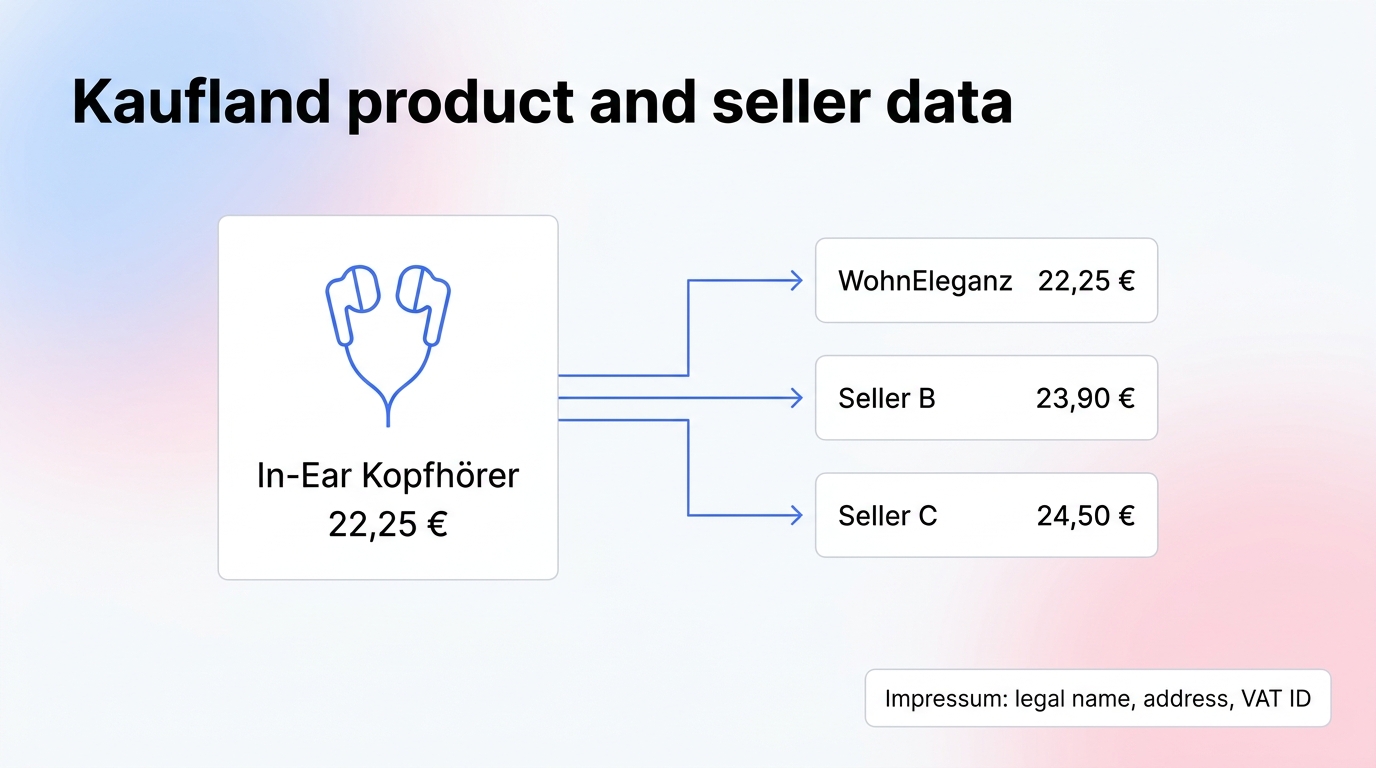
A Kaufland product page shows one price in the Buy Box. The other sellers of the same product sit behind it. Setting fetchOffers to true adds an offers list with every offer: price, shipping, condition, delivery window, fulfilment type and seller.
{
    "searchQuery": "kopfhörer",
    "maxResults": 20,
    "fetchOffers": true,
    "fetchSellerDetails": true
}
In this run, 10 headphone products had 124 offers between them. The count per product ranged from 1 to 34. The JBL Wave 200 TWS had 18 offers, from 43.71 EUR to 127.07 EUR including shipping. One offer:
{
    "price": 22.25,
    "shipping": 0,
    "totalPrice": 22.25,
    "condition": "new",
    "deliveryTime": "Fr. 13. - Di. 24. November",
    "fulfillmentType": "seller",
    "sellerName": "WohnEleganz",
    "returnPeriod": "P14D"
}
Seller imprint data
Every seller on Kaufland publishes an imprint. fetchSellerDetails adds it as a sellerDetails object, for the Buy Box seller and for every seller behind an offer.
{
    "legalName": "...",
    "legalForm": "GmbH",
    "address": "...",
    "email": "...",
    "phone": "...",
    "vatId": "DE...",
    "registerCourt": "...",
    "registerNumber": "HRB ...",
    "sellerCountry": "DE"
}
The run above found 71 distinct sellers. The actor's log reported email, phone and address for all 71 and a VAT ID for 93% of them. The full imprint text comes along in imprintText. Fields a seller does not publish stay empty.
Limits
- Offers and seller details are slow. The run with both switched on took 542 seconds for 10 products and used 143 requests to the unblocking service, against 7 requests for 50 plain products.
- The run returned half the products asked for. We asked for 20 and got 10, because the keyword search step stopped at its 360 second time budget.
- Some seller lookups fail. Three lookups in that run hit a bot challenge and returned no imprint. 9 of 10 products had seller details in the output.
- Keyword results come from a web search step. The actor finds product IDs for a keyword that way and then reads each product page. It is not Kaufland's own ranking.
- Seller contact data is personal data for sole traders. Check your legal basis before you store or use it.
- Terms of use. Read the Kaufland terms of use before you use the data in a product.
Other countries
The Czech actor returned 20 coffee products in 49 seconds for a keyword search, with prices in CZK and Czech category names. The input fields are the same as the German one.
Cost
The actor charges $0.002 per product plus $0.005 per GB of memory per run. It starts with 1 GB, which is $0.005 per run. The 50 product run cost $0.105, 100 products cost about $0.205 and 1,000 products about $2.005. Offers and seller details do not change the price per product, but they make runs slower.
For prices across Kaufland, bol and other marketplaces see European Price Comparison. For the Dutch marketplace see Bol.com Scraper. If you need the data delivered on a schedule, we also run managed feeds: hello@studioamba.dev.
The actor is on the Apify Store: apify.com/studio-amba/kaufland-de-scraper